Digital twin
Water Heater Studio
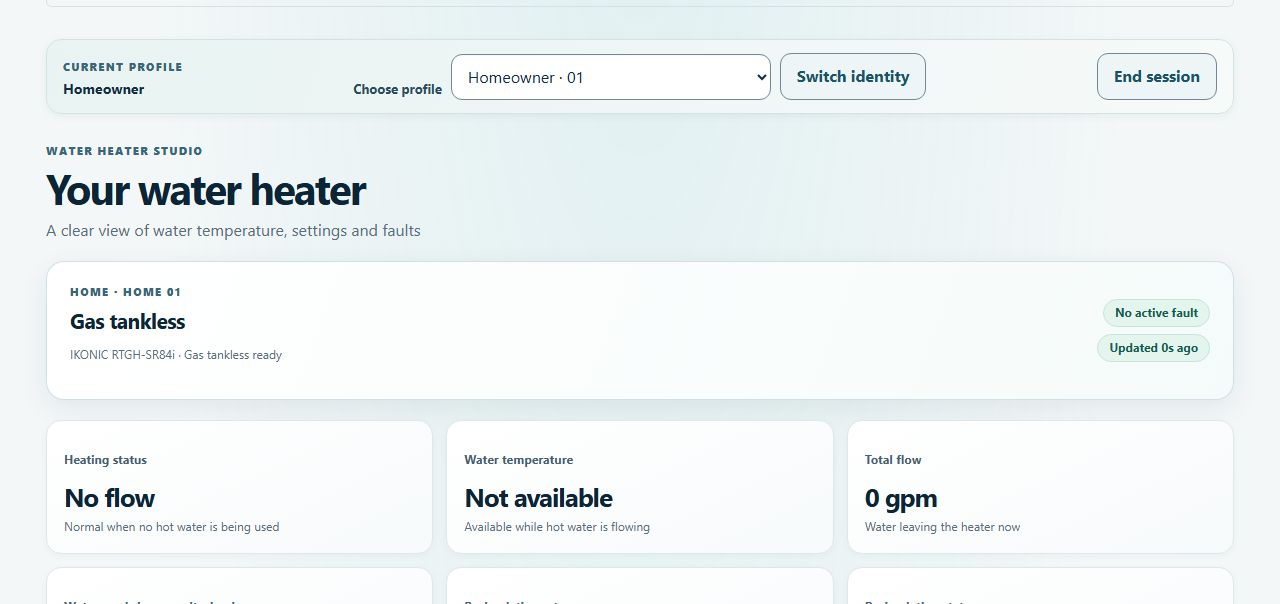
A simulated water heater experience for homeowners and plumbing professionals, with shared status, settings, and digital twin scenarios.
Project
A closer look
A shared browser preview for homeowners, plumbing professionals, and a demo operator to explore water heater settings and simulated scenarios.
Major features
Homeowner controls
- Homeowners can adjust supported temperature, Away, and recirculation settings.
Shared views
- Homeowner, plumber, and operator views use the same local sample-home state.
Digital twin
- Four heater profiles support a digital-twin flow scenario and simulated status updates.
First things to try
- Select Continue to open Home 01 as the homeowner, then change its target temperature.
- Open the Service Team view to see the shared home and setting.
- Choose Digital Twin to try the shower or faucet flow controls.
What a successful try looks like
The changed target temperature appears in the Service Team view because both profiles share the same sample-home state.
About this preview
The app uses fictional equipment data and is not connected to a live water heater. Profile selection is demo behavior, not production authentication.
Live demo coming soon
The hosted version has not been published yet. The screenshot and first steps above show what it does today; the live demo will be linked here once it has been tested.